


Spades - Card Game
4.813.83K Reviews
App Specs
- Version
- 2.4.7
- Updated On
- License
- Free
- Downloads
- 10,000,000+
- Developer
- Blackout Lab
- Categories
- Card
- Platform
- Android, iOS
Screenshots
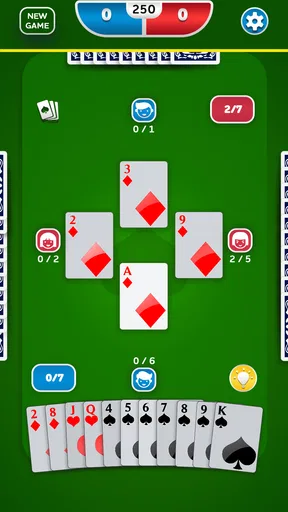
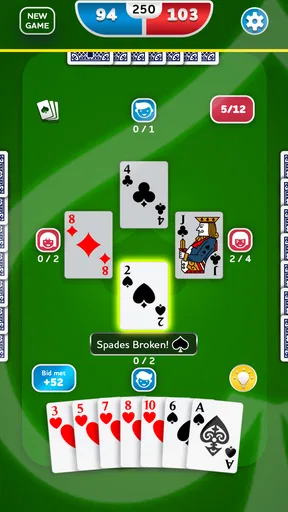
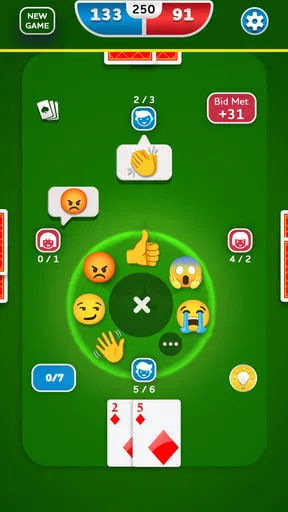
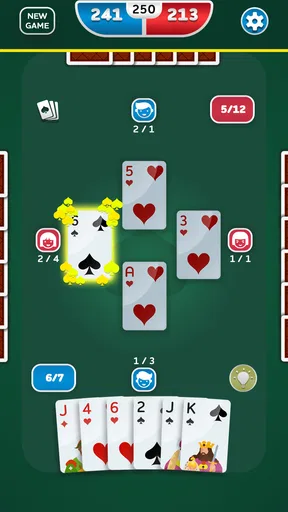
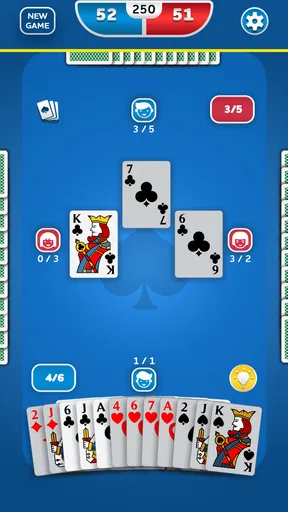
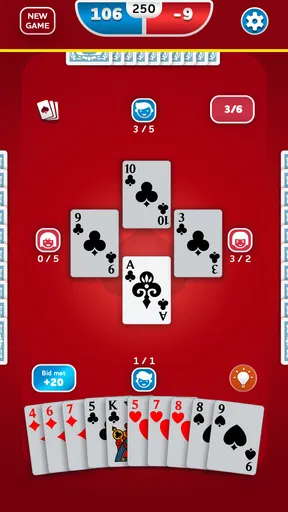
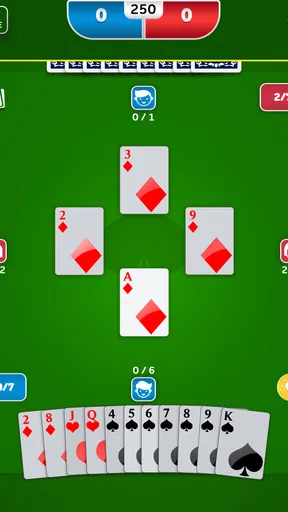
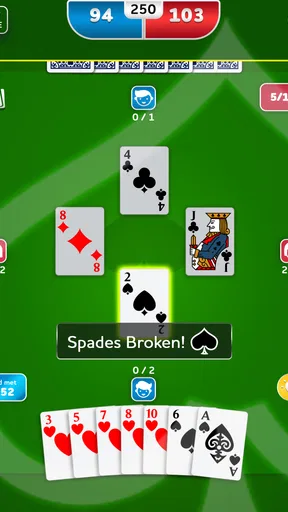
 Analysis by AppCompare
I’m drawn to digital card games that let me play at my own pace, and Spades - Card Game is a straightforward way to do that. It brings the familiar partnership game to a phone, with options for playing against the computer or other people. What makes it worth a closer look is how that simple format fits different situations: a quiet practice session, a quick break, or a longer game with friends. It is not equally suited to every player, though, especially if small on-screen details or online interaction are difficult for you.
Reading the table and finding your way
On my first visit, I found the main flow easy to understand: choose a way to play, get to the cards, and focus on the hand. The interface feels uncluttered rather than packed with extra systems, which helps when your attention is on following the play. A short tutorial offers a starting point if Spades is new to you; experienced players can skip the explanation and get into a game. That makes the app approachable without making the rules feel like an obstacle.
There is a useful distinction between learning the game and learning to read a particular digital table. New players may understand the aim quickly but still need time to notice which cards have been played and how that affects a trick. I’d treat the first few hands as observation rather than a test of skill. In solo play, you can pause between decisions mentally, review what has happened, and build a sense of the game before joining a faster online table.
Blackout Lab’s card game has a 4.8 average from around 299,000 ratings, and it has passed 10 million installs. Those figures suggest that it has found a broad audience, but the more practical point for me is that its familiar card-table format does not demand that I learn a complicated interface before I can enjoy a hand. It is free to download, rated for Everyone, and the current version is 2.3.3, with Android support from version 7.1.
Playing comfortably in different situations
I find this game easiest to fit around the day when I choose the mode to match my attention and surroundings: solo play for an interrupted break, or a shared table when I can stay focused on the hand. That flexibility helps, but it does not remove the need to see and select cards comfortably on your own device. I’d use a brief first session to judge that for myself before making it a regular habit.
Motor and sensory considerations
Card games are often a comfortable mobile genre because their main actions are deliberate rather than rapid-fire. Here, the dealing and card animations add a little life to the table, while the game still revolves around choosing and playing cards. I like that rhythm when I want something more thoughtful than a reflex-based game. If you have limited dexterity, though, the real question is how reliably you can identify and select the card you intend to play on your own screen. I would test a few hands before settling in for a long session, rather than assuming every phone and player will find the same layout comfortable.
The colorful presentation gives the table some personality, and the card and background customization can make it feel more familiar. These choices are useful for preference, but they should not be confused with a full accessibility toolkit. If you need larger text, unusually high contrast, spoken card labels, or other specific accommodations, check the actual display on your device first. I can recommend the game’s visual style as pleasant; I would not treat that as proof that it meets every visual or motor need.
Worth Reading Before You Choose

Flipboard Shows What News Apps Must Do Beyond the Feed

Switching to Android Auto Means Rethinking Your Driving Routine

Google Calendar Makes a Crowded Week Easier to Manage

Ludo King Makes the Most of the Minutes Between Plans

Baby Panda World Brings Quick Play to Modern Phones, but Its Game Library Feels Busy

ESPN’s Live Game View Makes Following Close Games Easier
When offline and online play make sense
The biggest practical advantage is having a solo option alongside multiplayer. When I have only a few minutes, a game against the AI is an easy way to practise without arranging a time with anyone. When friends are available, a private table gives the session a more social purpose. Online play can also suit someone who wants opponents beyond their usual circle, although that is a different experience from a relaxed game with people you know.
A realistic use for me would be opening a solo match during a quiet commute or while waiting for an appointment, then stopping when I need to pay attention elsewhere. A hand-based game is easier to fit around a short gap than a long story-driven session, but I would still avoid playing while walking, crossing a street, or doing anything that needs my eyes and hands. If your connection is unreliable, solo play is the sensible choice; the online option is for times when you can stay connected and give the table your attention.
What the game asks of a new player
Spades has more to it than simply playing the highest card. You need to follow the trick, keep track of what has already appeared, and make choices with your partner’s likely plan in mind. That strategic layer is exactly why I return to it, but it can also make a first session feel busier than a casual matching game. The tutorial helps with the basics; it cannot instantly replace the judgement that comes from seeing several hands unfold.
My practical tip is to begin by watching the cards that have already been played, not by trying to predict every move. After a hand, consider one decision you would change next time. This small review makes solo sessions useful practice instead of simply filling time. In multiplayer, talk with friends before the game about how much strategy chat you actually want; it keeps a friendly match from turning into a stream of distracting messages.
Where it fits among card-game alternatives
Compared with solitaire, this is a better fit if you enjoy partnership and anticipating other players; solitaire is the easier choice when you want a solitary puzzle with no team decisions. Compared with casual matching games, Spades rewards memory and planning more than quick pattern recognition. It is also less suitable than a simple digital deck if all you want is to play a different traditional card game, because its appeal depends on enjoying Spades itself.
The AI is a practical place to learn the rhythm, but it is not the same social challenge as a table of people. Friends at a private table bring shared jokes and established habits; random multiplayer offers human opponents without requiring you to arrange a group, but the atmosphere may feel less personal. I would choose the mode based on what I want that day rather than expecting one to replace the others.
Costs, choices, and sensible expectations
The game is free to start, with optional in-app purchases listed from $0.99 to $99.99 per item. I would approach those as optional spending rather than something necessary to decide whether the core card game suits me. If you are cautious about purchases, check the options before handing your phone to a child, and use your device’s purchase controls as appropriate. The Everyone age rating makes the game broadly approachable, but it does not remove the need for a parent to manage spending or online play in a way that fits their household.
Customization is a nice way to make the table feel less generic, but it is not the main reason I would keep playing. I would first see whether the rules, pace, and available opponents suit me. If they do, personal touches are a bonus; if they do not, a different card game is a better use of your time than trying to make the presentation carry the experience.
Who is likely to enjoy it—and who may not
I’d recommend it to someone who already likes Spades, wants a convenient way to practise, or enjoys card games where memory and teamwork matter. It also suits a group of friends who want a private digital table when they cannot meet in person. If you are new, the tutorial and solo play provide a reasonable low-pressure route into the rules, though you should expect a learning curve as you start thinking beyond the current trick.
I would steer a player elsewhere if they want a purely offline experience with no online social element ever in view, a fast action game, or a card game that teaches every strategic nuance automatically. I would also be cautious if reading cards on a phone is tiring or if you need a specific accessibility feature that the game’s presentation may not provide. In those cases, trying a short session first is more useful than relying on the general appeal of a card-table design.
Getting Started with Spades
When I first opened the Spades - Card Game app, I was greeted with a clean and intuitive interface. Setting up a game was a breeze, even if you're not familiar with the rules of Spades. The app offers a quick tutorial that helped me understand the basics in no time. For those who are already familiar with the game, you can jump right into the action without any hassle.
Gameplay and Features
Now, let's talk about the gameplay. The app offers both single-player and multiplayer modes, which is fantastic. I started with the single-player mode to get a feel for the game. The AI opponents are challenging enough to keep things interesting, but not so difficult that you want to throw your phone across the room.
In multiplayer mode, you can either join a random game or create a private table with your friends. I invited a couple of friends to join me, and we had a blast. The app allows for seamless communication through an in-game chat feature, so you can strategize or just banter with your teammates.
User Experience and Design
The design of the app is quite appealing. It's colorful without being overwhelming, and the animations are smooth, adding to the overall enjoyment of the game. I appreciated the small details, like the card shuffling and dealing animations, which made the digital experience feel more like a real-life card game.
Another thing I loved about the app is the customization options. You can choose different card designs and table backgrounds, which adds a personal touch to your gaming experience. It might seem like a minor detail, but it really enhances the enjoyment.
A Few Tips and Tricks
As someone who’s spent a fair amount of time playing, here are a few tips that might help you out:
- Understand the Basics: Make sure you have a good grasp of the rules. The app's tutorial is a great starting point.
- Start with Single-Player: If you’re new, practice against the AI before diving into multiplayer.
- Communicate: If you’re playing with friends, use the chat feature to discuss strategies.
- Customize Your Experience: Take advantage of the customization options to make the game feel more personal.
Inclusive verdict
Overall, the Spades - Card Game app is a fantastic way to enjoy this classic card game on the go. Whether you're playing solo or with friends, it offers a satisfying gaming experience. The user-friendly interface, coupled with its engaging gameplay, makes it a must-have for any card game enthusiast.
If you're looking to pass the time with a fun, competitive game, I highly recommend giving this app a try. You can download it from the app store for both Android and iOS. Trust me, it's worth it!
Pros
- Smooth and engaging gameplay experience.
- Customizable game settings and difficulty.
- Intuitive interface for easy navigation.
- Multiplayer mode enhances social interaction.
- Regular updates with new features.
Cons
- Occasional ads can be intrusive.
- Requires internet for multiplayer mode.
- Limited customization for avatars.
- No tutorial for complete beginners.
- In-app purchases can be pricey.
FAQs for Spades - Card Game
What platforms is Spades - Card Game available on?
Spades - Card Game is available for both Android and iOS devices. You can download it from the Google Play Store for Android or the Apple App Store for iOS. Ensure your device meets the minimum system requirements for optimal performance and gameplay experience.
Does Spades - Card Game require an internet connection to play?
While Spades - Card Game offers offline gameplay against AI opponents, certain features like multiplayer mode and leaderboards require an internet connection. Playing online enhances the experience by allowing you to compete with friends or other players globally, but it’s not mandatory for basic gameplay.
Are there any in-app purchases or ads in Spades - Card Game?
Yes, Spades - Card Game includes in-app purchases that allow you to buy items such as new card decks or themes. Additionally, the game may feature ads that can be removed through a one-time purchase. These options provide a more personalized and ad-free experience if desired.
Is Spades - Card Game suitable for beginners?
Absolutely! Spades - Card Game includes a tutorial mode designed to help beginners learn the rules and strategies of the game. With adjustable difficulty levels, new players can start with easier AI opponents and gradually increase the challenge as they become more confident.
How does the multiplayer mode work in Spades - Card Game?
In multiplayer mode, you can play with friends or other players worldwide. You can either join existing games or create your own room and invite others to join. This mode offers real-time interaction and competitive gameplay, enhancing the overall experience with social elements.


